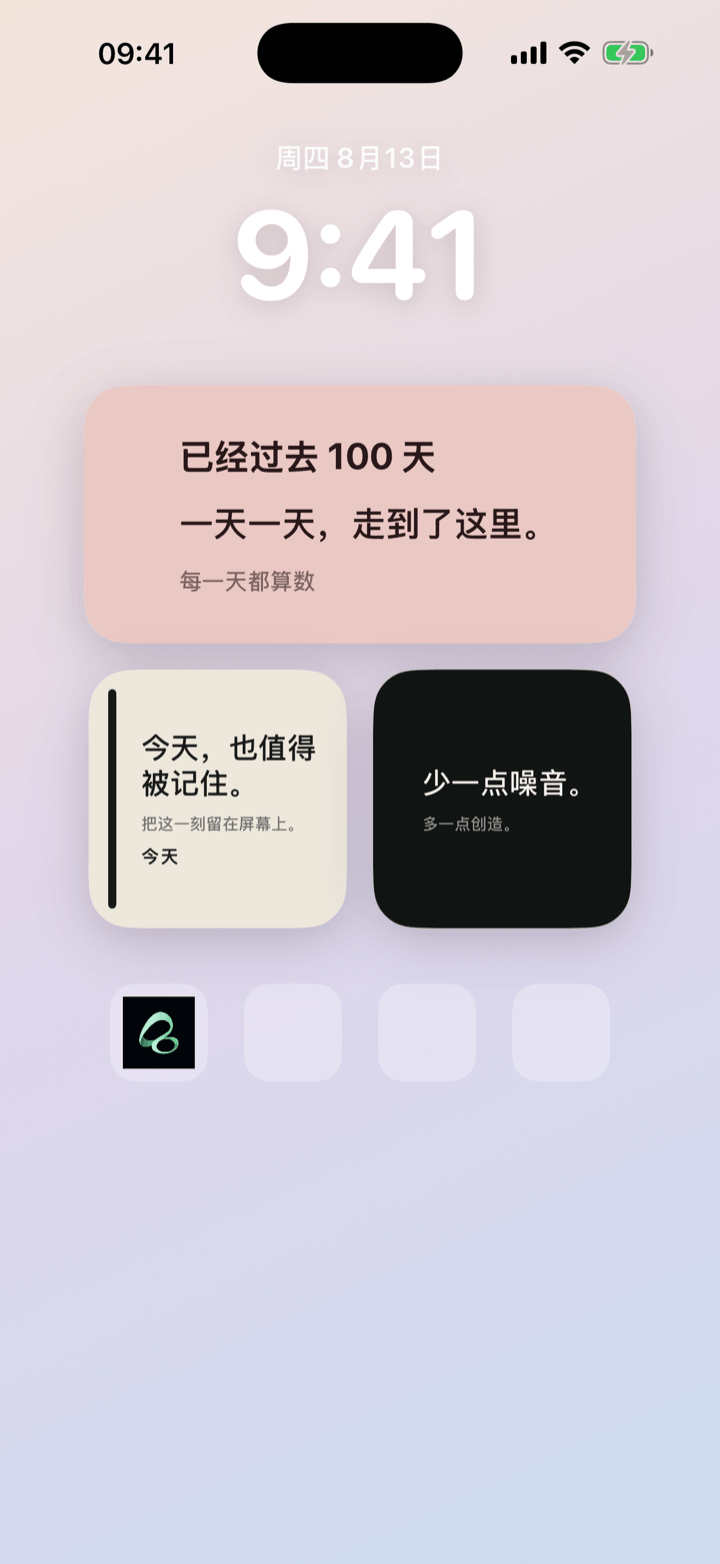
Your iPhone Home Screen can hold more than app icons. A card can keep an important date, a place, a short message, or a moment you want to notice—right where you naturally look during the day.
Watch the short video: Put What Matters on Your iPhone Home Screen
What can an iPhone Home Screen card hold?
Flowment turns a small piece of information into a card you can place in an iPhone widget. Start with one thing that matters now:
- A date: days until a trip, birthday, visit, or deadline.
- A moment: days since a relationship began, a habit started, or a chapter changed.
- A place: a city, “Home”, or another short context for a note.
- A message: “See you soon”, “Today is worth keeping”, or a line you want to meet again.
You do not have to build a dashboard. One focused card is often easier to notice and more useful than a screen full of reminders.
Create a card, then choose where it lives
- Open Flowment and create a personal card.
- Choose text, a count-up, or a countdown depending on what you want to show.
- Add a short line and adjust the style until it feels clear at a glance.
- Save the card, add a Flowment widget to your iPhone Home Screen, and select it.
The card stays on your phone unless you choose to make a poster or create a shared moment. Flowment does not automatically publish personal cards to a public page.
Keep the message small enough to see
A Home Screen card is most helpful when it does one job. “18 days until the trip” is easier to understand than a list of every travel detail. “Bangkok — I miss you” has more presence than a long paragraph.
Use a card for the part you want to keep in sight. The calendar, notes app, and chat can hold the rest.
If you are new to the app, read What is Flowment? for an overview, or follow How to put a text widget on your iPhone Home Screen for the widget setup.
Keep the moment in sight