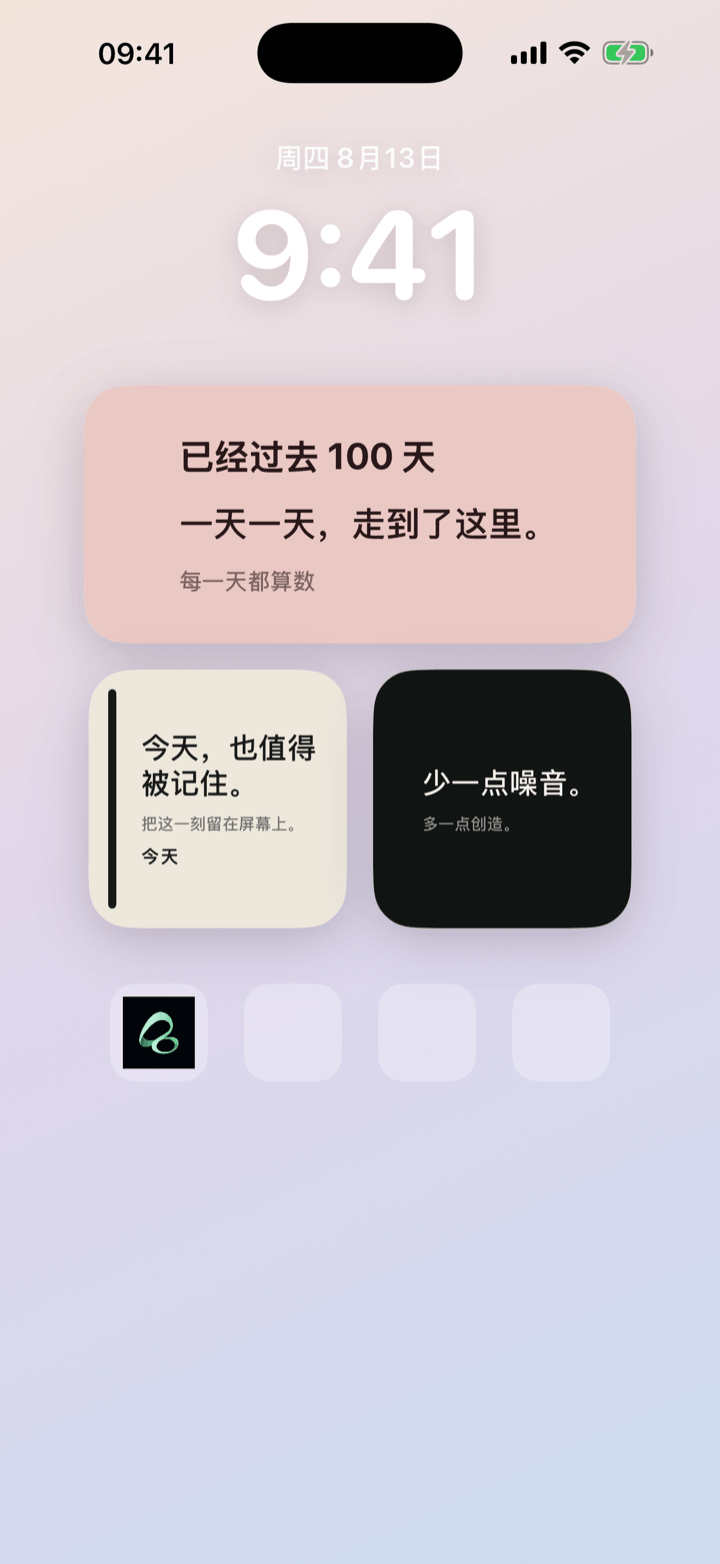
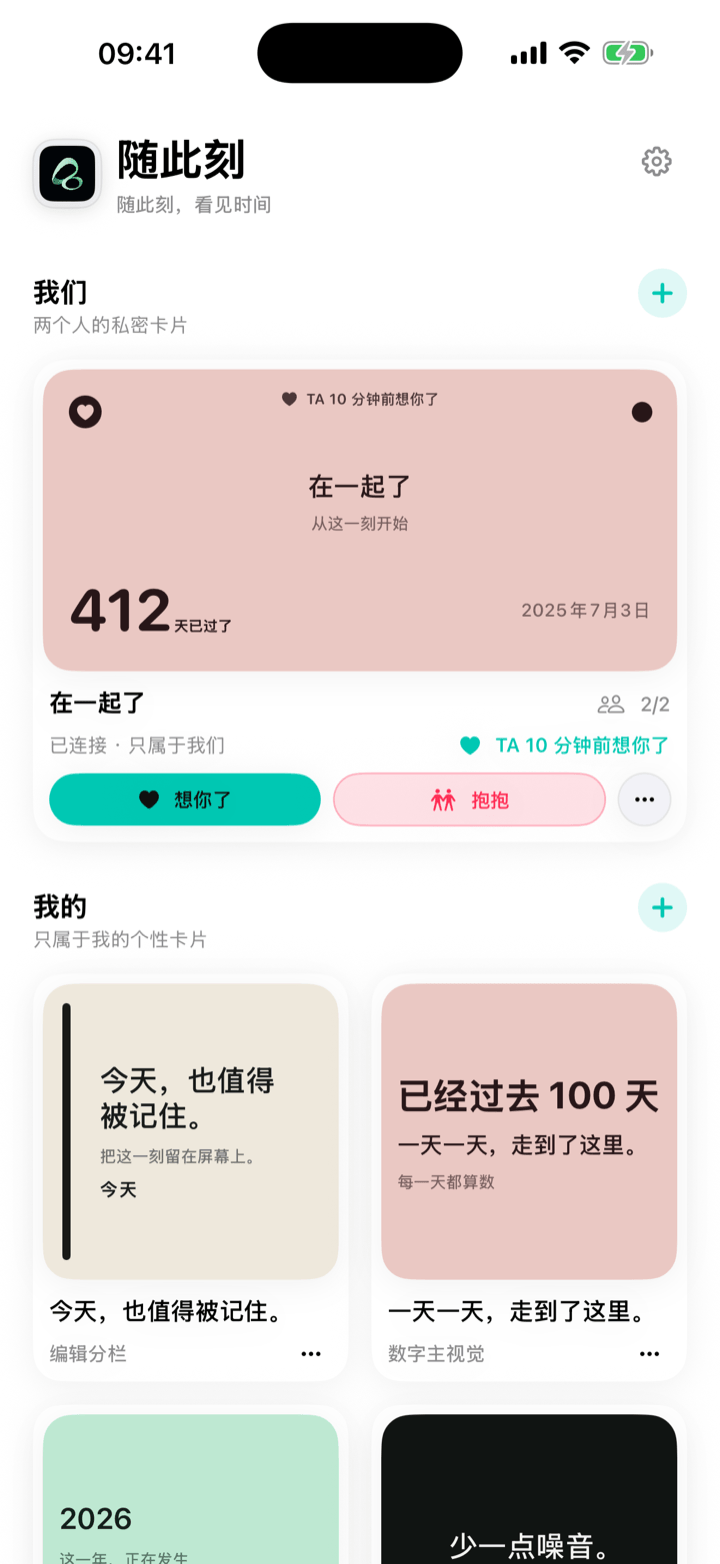
Some dates are carefully saved in a calendar, then seen only when a notification appears. Some words matter to us, yet disappear inside notes, message threads, or photo libraries.
Flowment has a simple purpose: turn meaningful words and time into a card you can keep on your iPhone Home Screen.
That card might hold a sentence you need today, a date that is getting closer, or a stretch of time you have already lived through. You do not have to open the app whenever you want to see it. Once the card becomes a widget, it stays in one of the places you naturally look at every day.
What can you make with Flowment?
A Flowment card brings together three things: text, time, and style.
- Text: write a reminder, a name, a promise, or any short line you want to see again.
- Time: count down to a trip, birthday, exam, or reunion, or count up from the beginning of a habit or meaningful chapter.
- Style: choose a layout, palette, font, and alignment so the card feels like your own expression.
After saving it, you can add the card as an iPhone Home Screen widget. A Medium widget works well when you want to show both text and a date. A Small widget keeps a single thought quiet and focused.
Why put time on the Home Screen?
Calendars are good at scheduling events. Reminders are good at asking us to act. But not every relationship with time is a task.
The number of days until you meet again, how long a new habit has lasted, or the date a meaningful chapter began may not need an alert. It may simply deserve to be visible. A Home Screen widget turns that information from something stored away into part of everyday life.
Flowment does not require a public profile, and a personal card is not automatically published to the web. If you keep it for yourself, it remains a private space on your phone. If you want to share it, you can create a poster and decide where it goes.
Start with one card that matters
Your first card does not need to be complicated. Choose something you genuinely care about right now:
- 28 days until the next trip.
- 100 days of showing up for a new habit.
- Today is worth remembering.
- See you in 12 days.
Open Flowment, create a personal card, add a line or date, choose a style, and save it. Then return to the iPhone Home Screen, add a Flowment widget, and select the card you just made.
A meaningful card does not need to say much. It only needs to help you see what matters when you pick up your phone.
Flowment is now available on the App Store. Start with one card and give an important moment a place outside the calendar.
For the complete setup process, continue with How to put a text widget on your iPhone Home Screen.
Keep the moment in sight