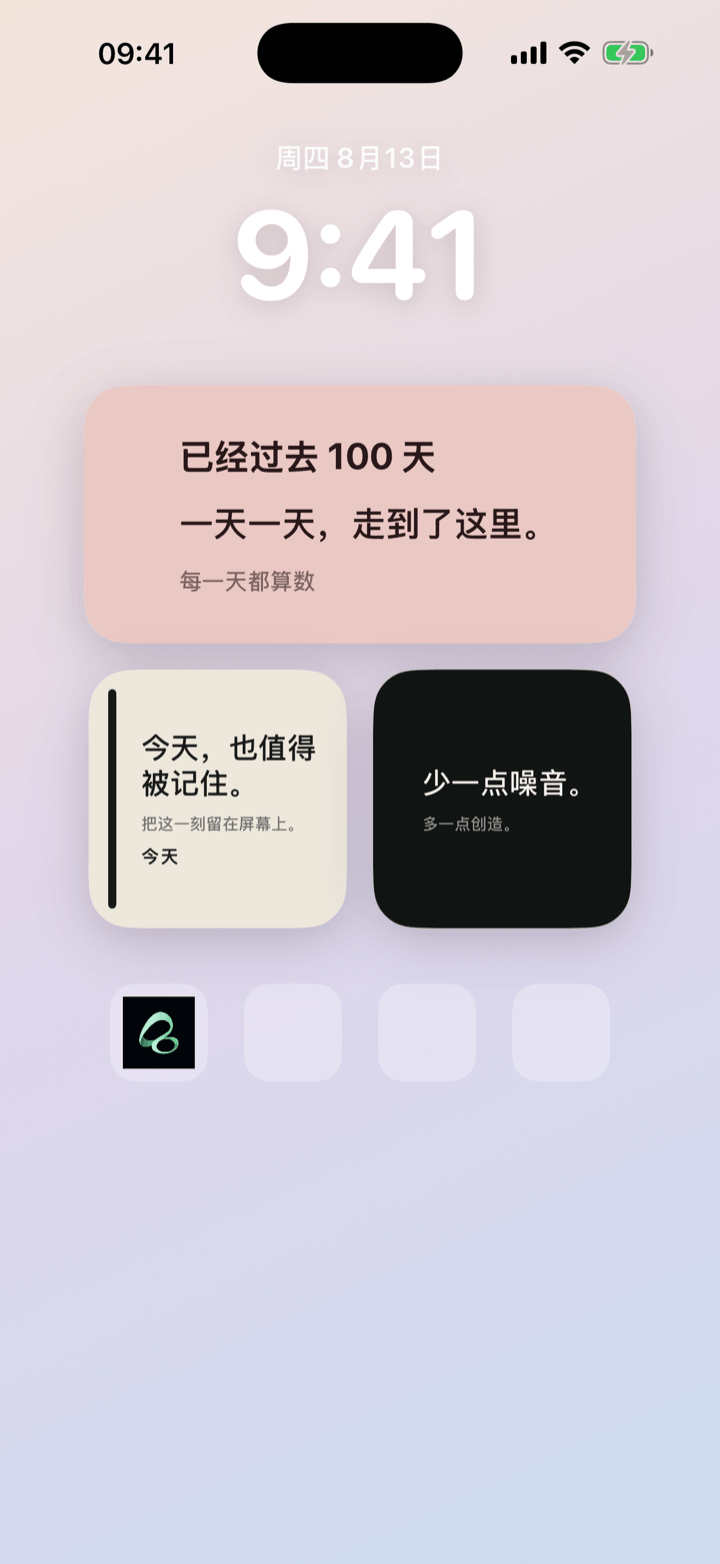
The simple rule: “How long have we been together?” is a count-up. “How long until we meet or reach our anniversary?” is a countdown. Use a personal card when it is yours; use a shared moment when both people want to see and edit it.
Choose the direction: count what you have lived, or what you are waiting for
A count-up looks back at time already shared. A countdown gives an upcoming moment a place in the day.
- Use a count-up for: the start of a relationship, a first meeting, a wedding, moving in, or another meaningful beginning.
- Use a countdown for: a next visit, anniversary, trip, birthday, or plan you are looking forward to together.
One date can deserve both views. In that case, make two simple cards: one for the days already shared and one for the next day you are waiting for.
Personal card or shared moment?
A personal card works for a surprise, a private memory, or a situation where the other person does not want another app. You can keep it on your Home Screen or share a poster.
A shared moment belongs to exactly two people. After an invite is accepted, both people see the latest card and can edit it. It is not a public couple profile, social feed, or contacts-based network.
Sharing should be a joint choice. If the other person only wants a poster, a personal card is enough; there is no need to turn closeness into a daily check-in.
Set up a couple anniversary widget in Flowment
- Create a shared moment under Us, or create a personal card under My cards.
- Choose a count-up for days together, or a countdown for an anniversary or visit.
- Add the date and a short line such as “Since this moment” or “See you soon”.
- Send the invite if this is a shared moment; skip it for a personal card.
- Add Flowment to each iPhone Home Screen and select the card.
Let the date create connection, not pressure
For the next celebration, follow the anniversary countdown setup guide. It covers the target year, saving a personal card and selecting it on the Home Screen.
- Show one important date: too many countdowns turn a gentle reminder into a dashboard.
- Describe a feeling, not an obligation: “Another day together” is lighter than “Don’t forget”.
- Leave room for change: a shared moment enters a cooling-off period before it ends, and each person can decide whether to keep a personal memorial card afterward.
Flowment also has Miss you and Hug signals. They stay in the app and widget for a while, without becoming a permanent chat history.
Keep the moment in sight