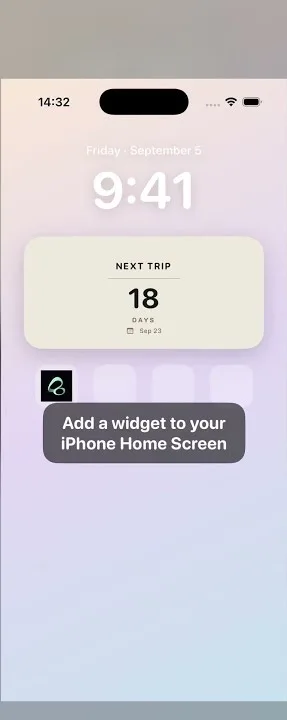
If you already have a calendar subscription link, you can add a supported HTTPS or webcal feed to Flowment and view its events in the app’s calendar. You do not need to enter each event individually. A normal web page is not necessarily a subscription link: obtain the calendar address from a provider you trust first.
A subscription is different from a one-off event
Providers often label their calendar links ICS, iCal or webcal. A subscription reads a collection of events maintained by that provider. Its dates and availability depend on the source. Some links contain private access tokens; keep them out of public posts and screenshots.
Apple Calendar also supports external calendar subscriptions. Apple’s multiple calendars guide explains its own route. The steps below are for Flowment. Adding a feed in one app does not guarantee it will automatically appear in the other.
Add the link in Flowment
- Open the calendar tab in Flowment and go to Data Subscriptions.
- Tap the import button at the top right to open the calendar-link form.
- Paste a trusted HTTPS or webcal subscription address. You can also give it a recognizable name.
- Tap the confirmation button, check the provider hostname in the prompt, and read the third-party content notice before confirming.
- Return to your subscriptions and check that the source is enabled and allowed to appear in the calendar.
This screenshot shows the subscription management screen, rather than proof that a particular external link has been imported. Available directory entries may change.
Why are there no events today?
A successful subscription does not mean the source has an event today. Check that the subscription is enabled and calendar visibility is on, then visit a date with an event from that source. If Flowment offers View all dates after returning to the calendar, use it to find other dates in the source.
For loading errors, open the source details and try a manual refresh. Check your connection and whether the original address still works. Third-party content can change or become unavailable. Updates are not guaranteed to be instant, and changing the app language does not translate the provider’s events.
Understand the free allowance
Free users can have three active subscriptions in total. Built-in Almanac, international festivals, directory feeds and custom links share that allowance; it is not three per category. Lifetime allows unlimited active subscriptions.
Calendar visibility and subscription activity are separate controls. Hiding a source does not free a slot; disabling its subscription does. When capacity is full, a link may be saved without being enabled. Follow the app’s notice to pause another subscription or increase capacity, then enable the saved source.
Use a safe, trusted source
Plain HTTP, local-network and IP-literal addresses are not supported. Some complex recurring-calendar formats may also be unsupported. Ask the provider for its subscription address rather than pasting an ordinary event page.
Private subscription addresses stay in the device Keychain and are not added to the public directory or sent to widgets. After confirmation, your device connects to the provider to retrieve content. That provider may still observe connection requests, so only add sources you trust.
Will these events automatically become Home Screen widgets?
This guide covers importing a source and viewing events in Flowment’s calendar. It does not promise automatic widget cards for subscribed events. To keep a particular important date on the Home Screen, create a personal card separately and follow the widget setup guide.
Explore Flowment if you want to view personal dates and subscribed calendars in one app, then try a trusted calendar link.
A recorded example: adding a film and TV calendar
In the supplied recording, the user pastes a MovieCalendar feed address, names it “Apple TV”, and confirms the provider hostname. The new source appears in My subscriptions. Opening View all dates then reveals that source’s annual event list. These frames come from the same recording.
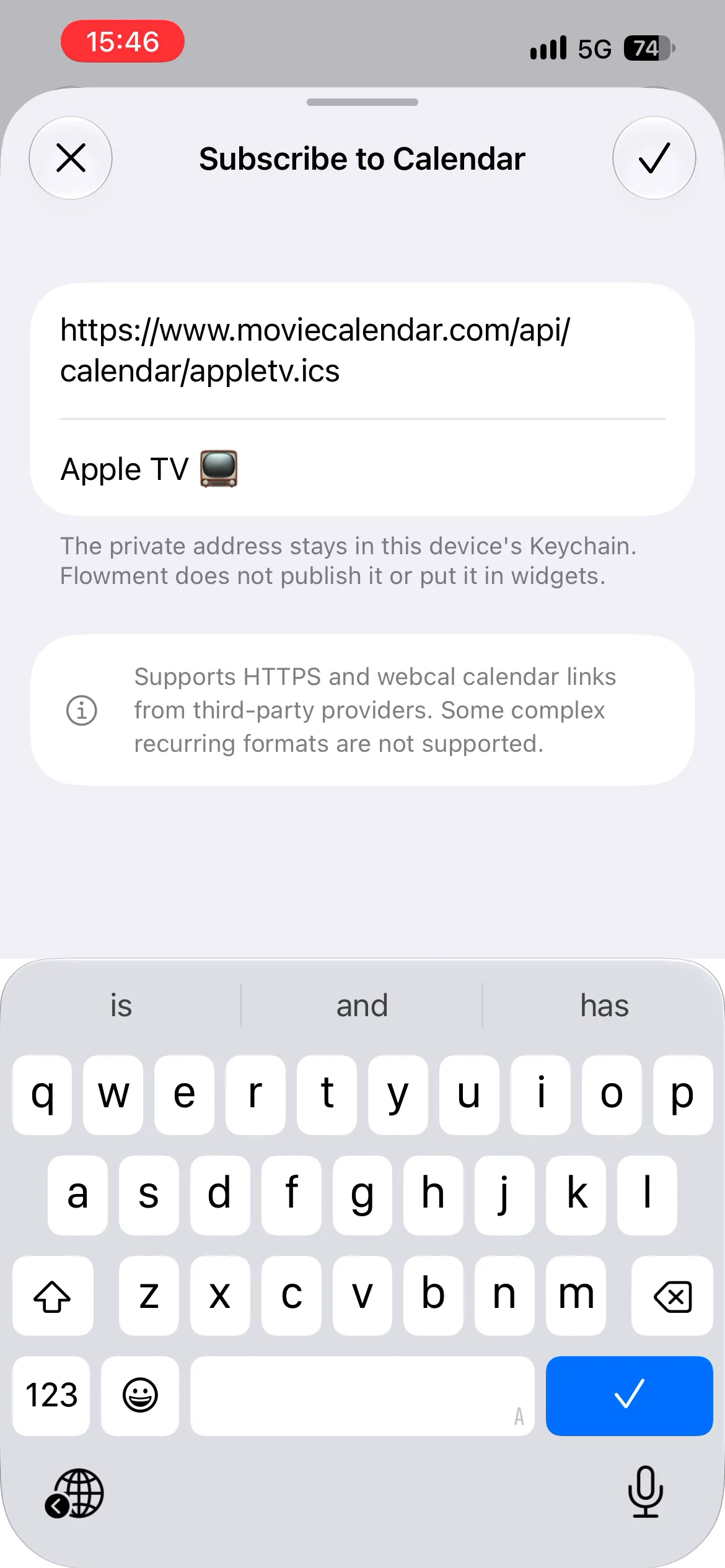
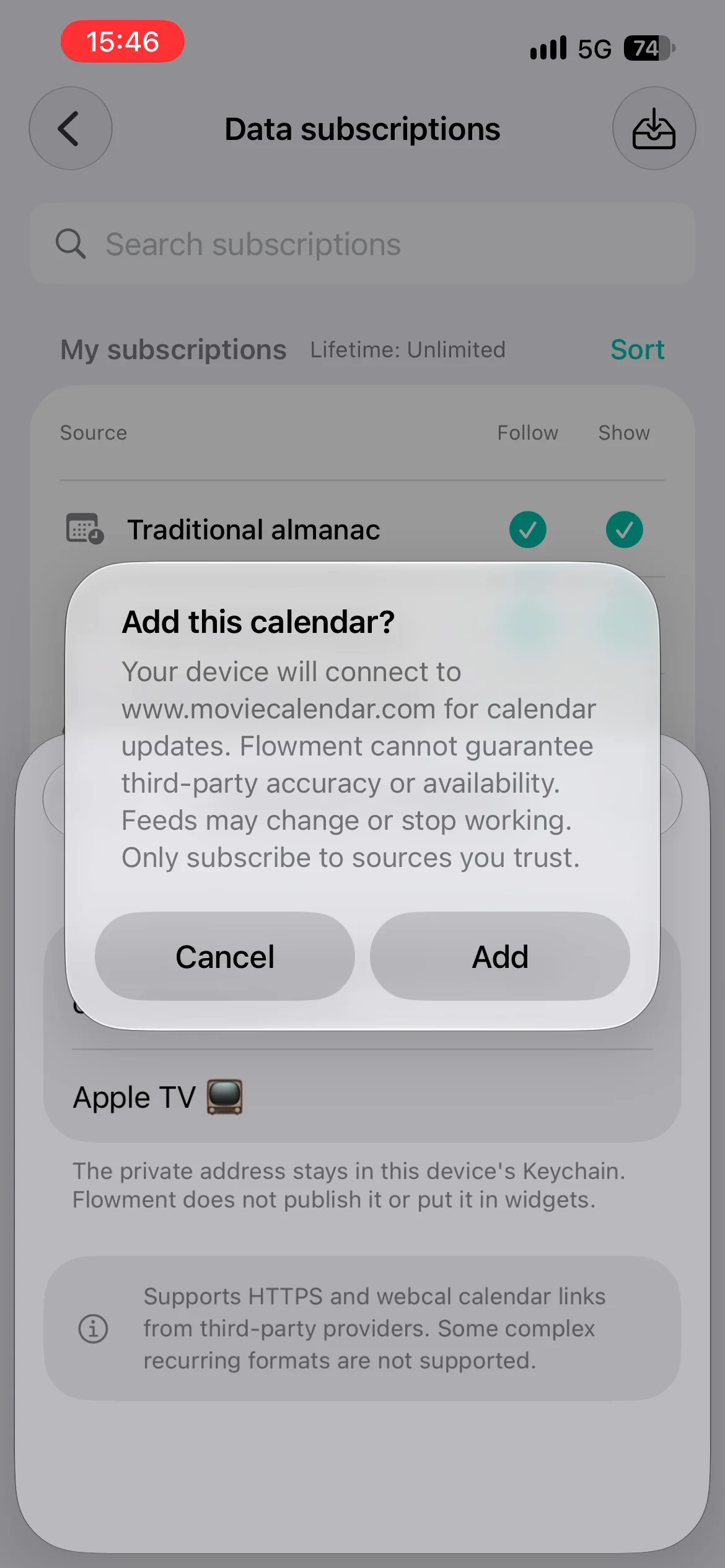
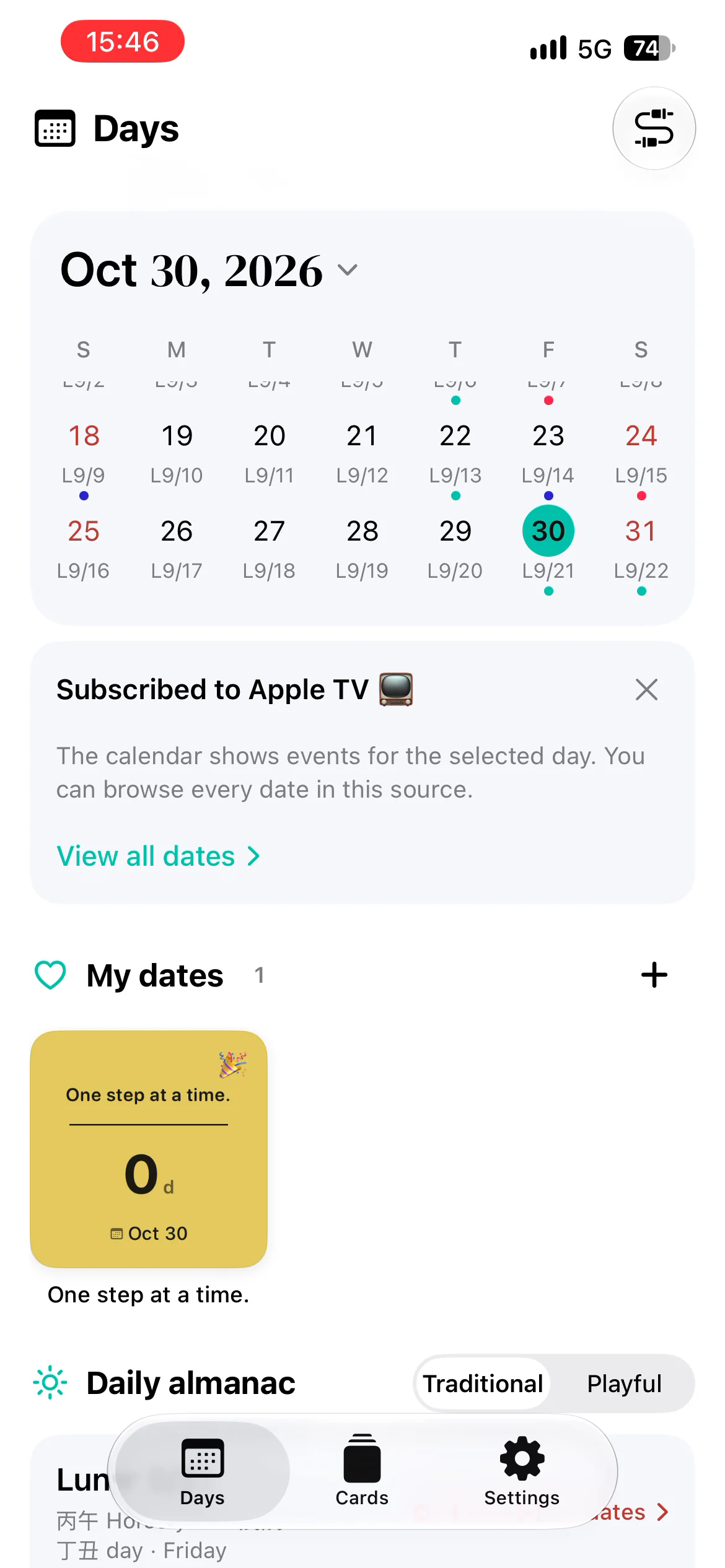
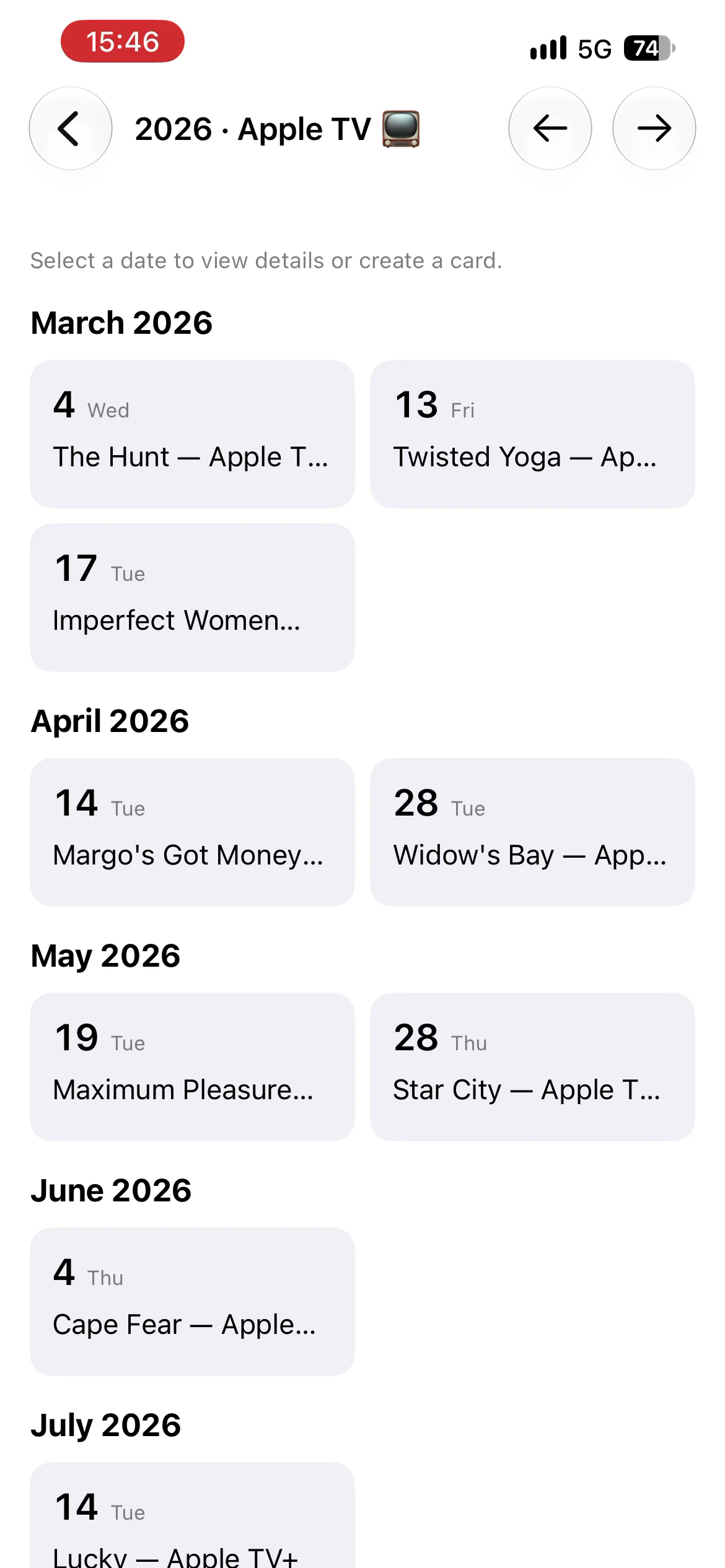
This demonstrates importing a source and reading its events. The dates come from the third party; they are not verified release dates, regional availability guarantees or an official partnership. The recorded account has Lifetime: Unlimited in the screenshot does not describe the free allowance.
Keep the moment in sight